 OverHub for Overwatch 2
See everything.
Win every fight.
OverHub is a free Overwolf extension that lives inside Overwatch 2 while you play. Press Ctrl+X mid-match for live stats, counter picks, and auto-saved highlights.
· How it works
Install, queue, press Ctrl+X
Install it free
Grab OverHub from the Overwolf store. It takes under a minute and updates itself.
Play Overwatch 2
Queue up like always. OverHub wakes up on its own the moment your match starts.
Press Ctrl+X
The overlay opens inside your game. Live scoreboard, counters, highlights. No alt-tab.
· Always on
Live
in game
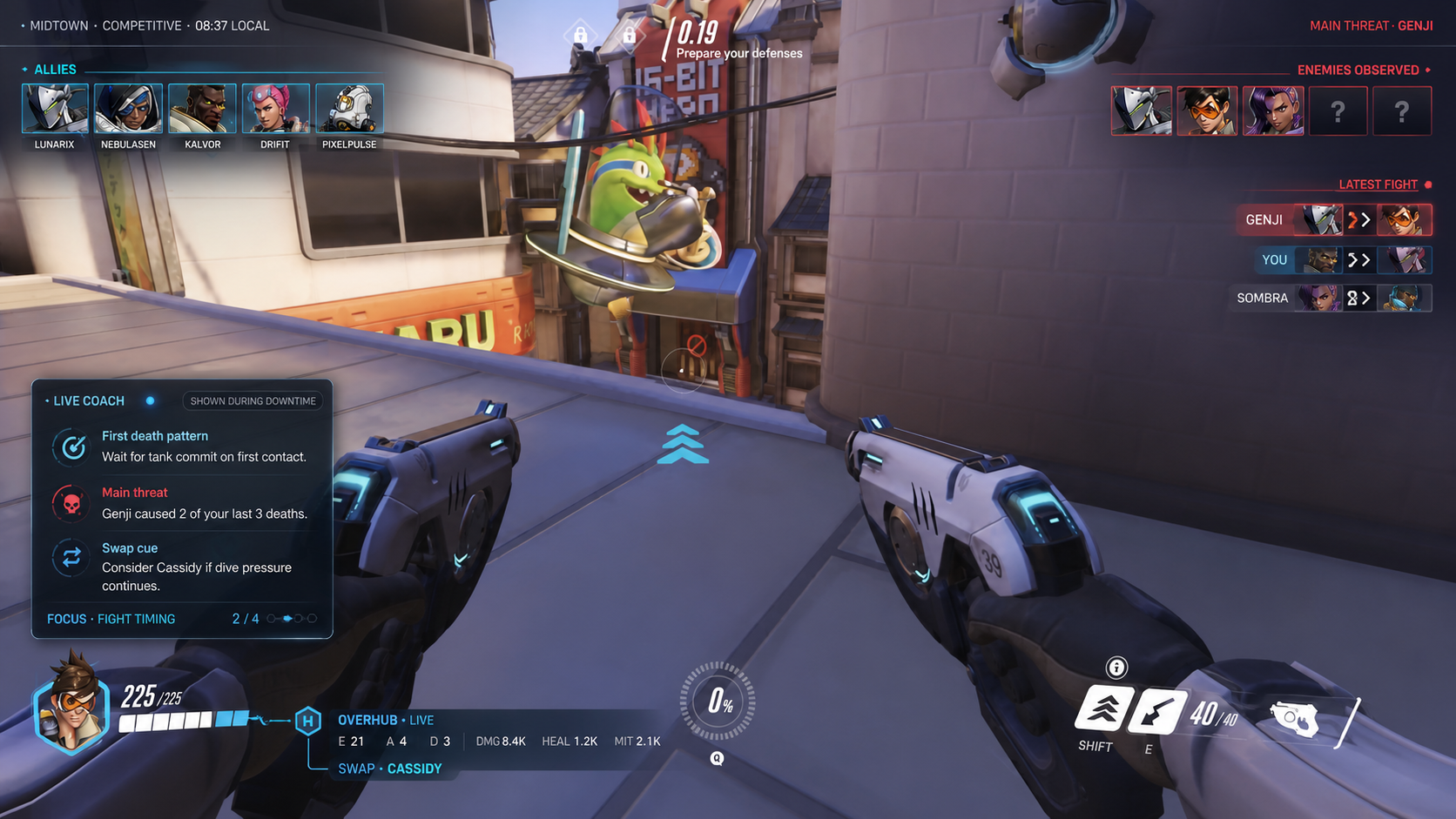
A small panel inside the game showing allies, revealed enemies, and your current stat line.
· Ctrl + X
Full
overlay
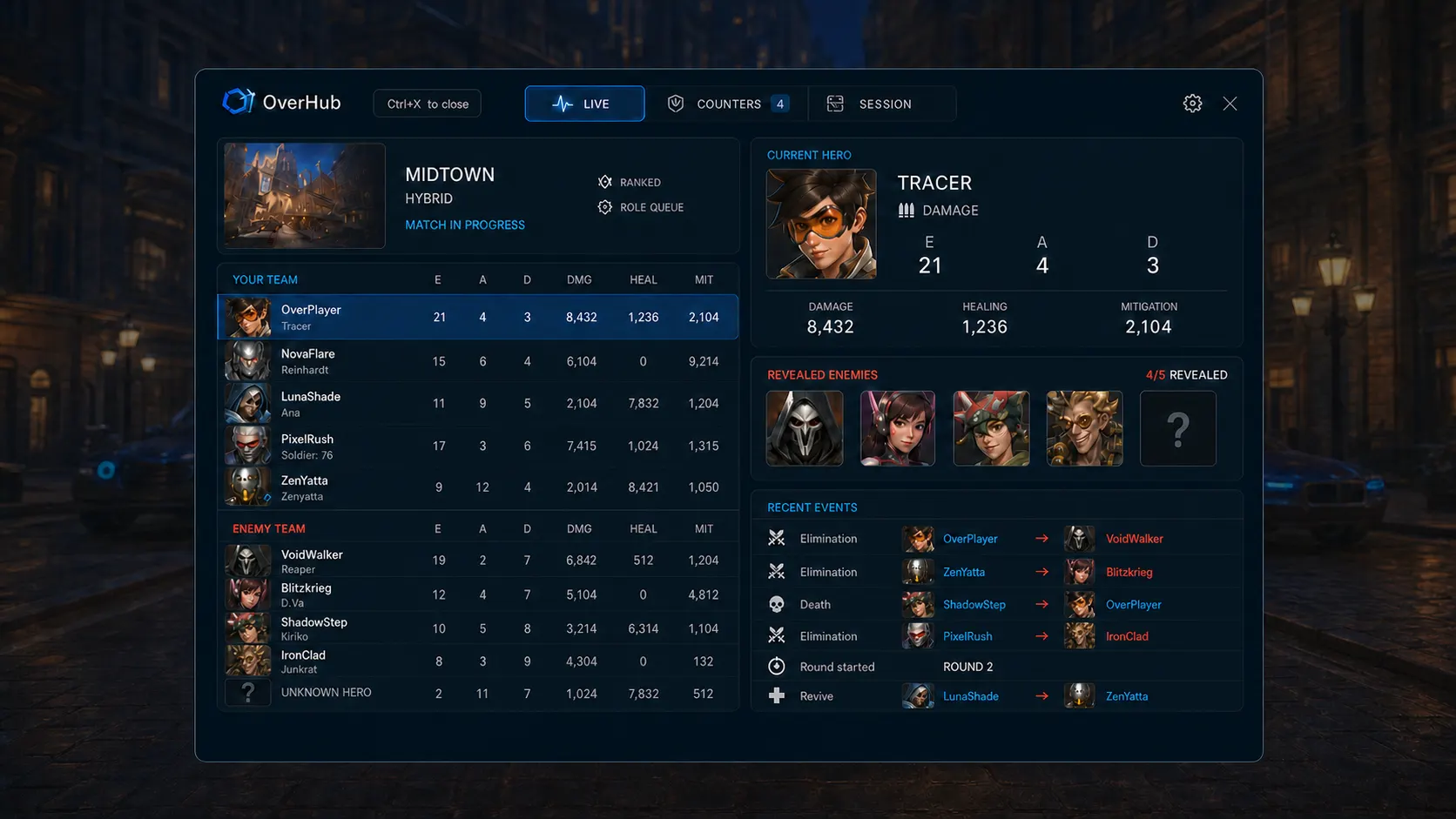
The full board: both team tables, counter picks, revealed enemies, and recent events. Opens with Ctrl+X.
· Live intelligence
Live in
your match
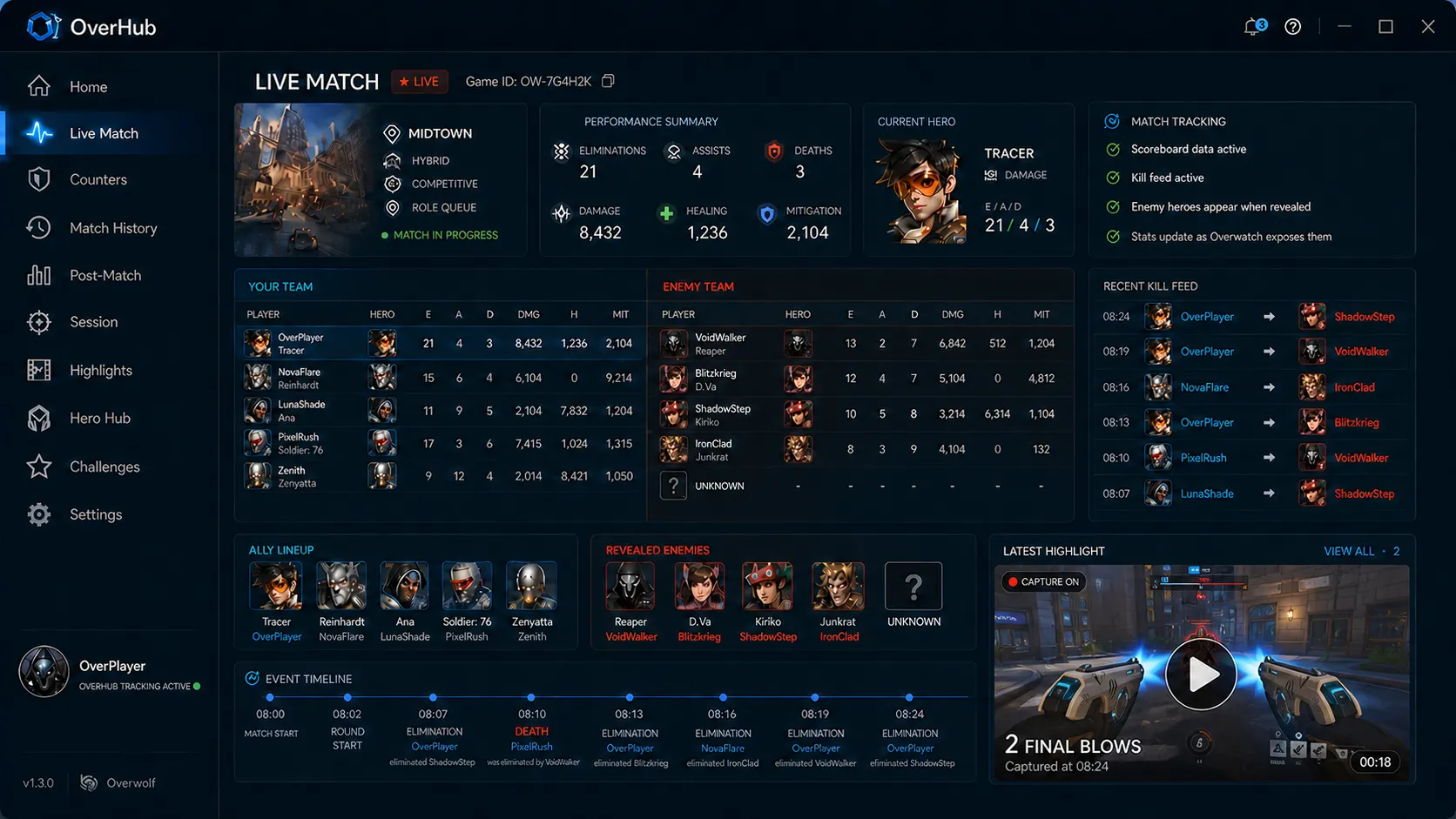
Shows eliminations, assists, deaths, damage, healing, and mitigation for both teams while the match runs.
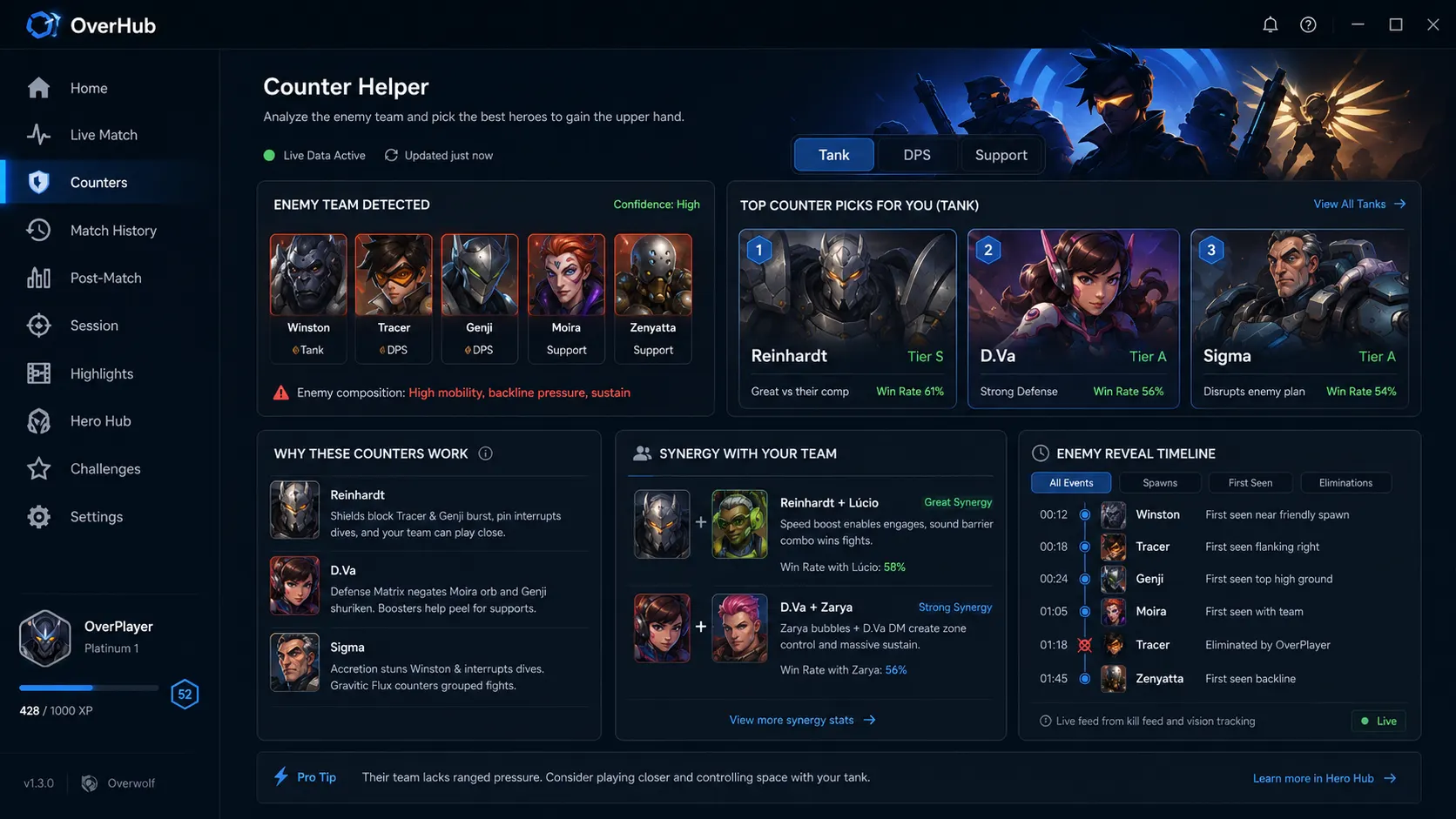
· Counter intelligence
Counter
every comp
Lists which heroes are strong against the detected enemy lineup, with a tier and a win rate for each pick.
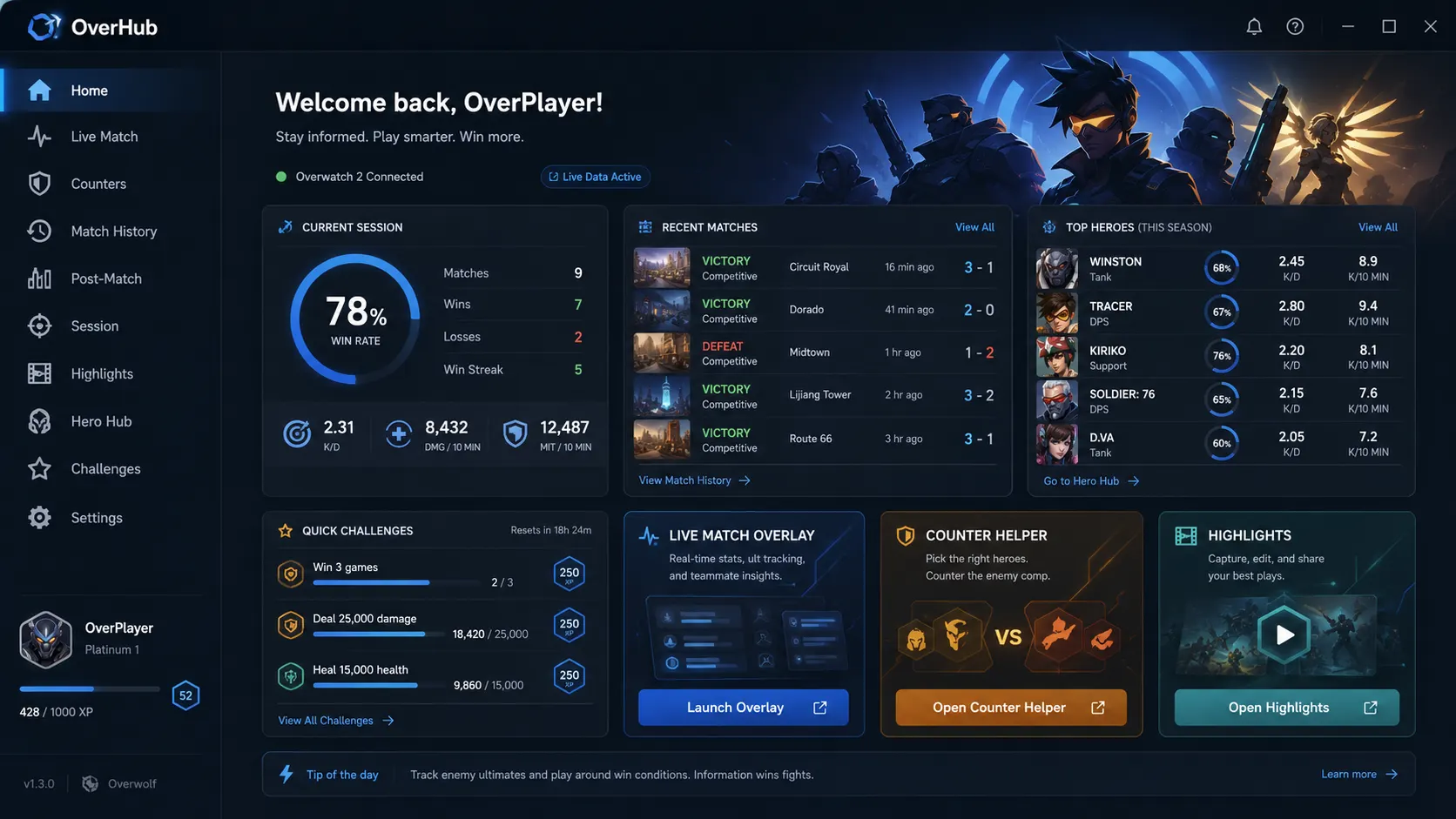
· Desktop window
Home
screen
Desktop window with session record, recent matches, most played heroes, and saved highlights.
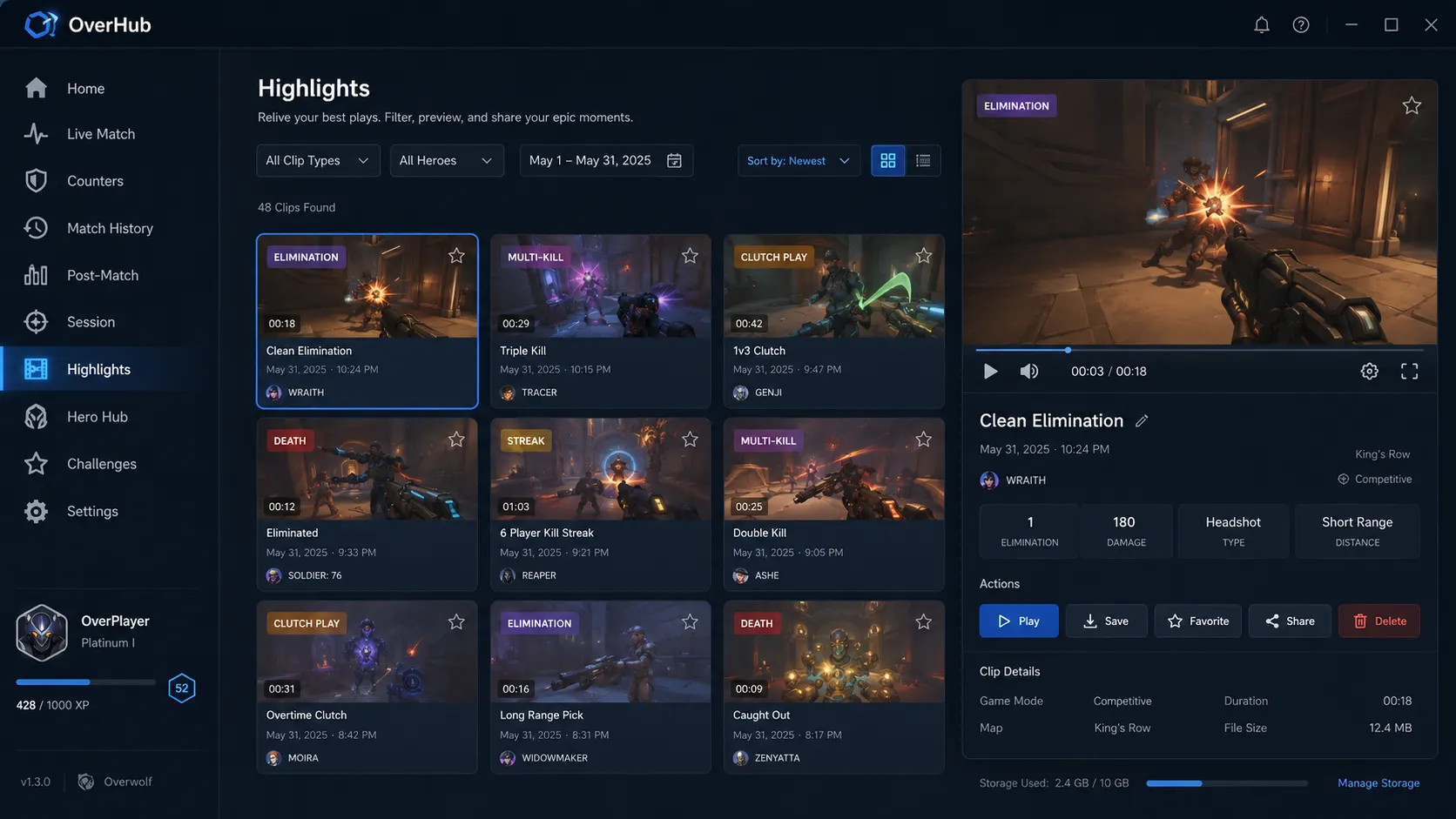
· Match memories
Relive
every play
Clips save automatically during the match. Each clip links to the match it came from.
· Why OverHub
An Overwolf extension
for Overwatch 2 on PC
OverHub reads the live match through Overwolf: the map and mode, both team rosters, and every elimination as it happens. It lists counter picks when the enemy swaps heroes, and it saves the scoreboard and highlights to the desktop window when the match ends.
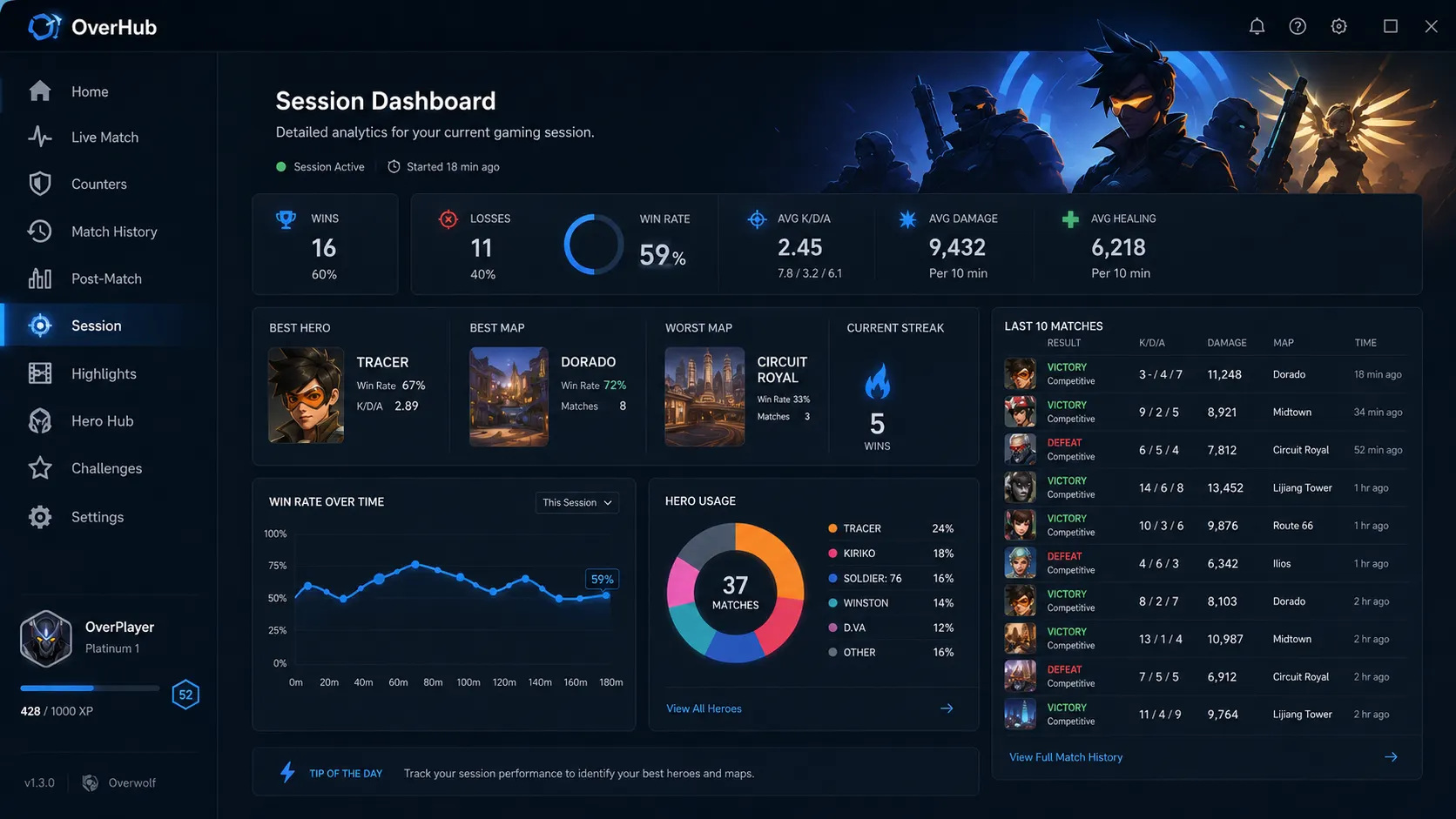
· Session review
Know how
you climbed
Session record, per-10-minute averages, hero usage split, and the last 10 matches with K/D/A and damage.
· Questions
Is OverHub free?
Yes. Install it free from the Overwolf store. No account, no subscription.
Which game does it work with?
Overwatch 2 on PC. OverHub reads the live match through Overwolf while you play.
Is it safe to use?
Yes. OverHub is an Overwolf extension that only reads official live game data. It never modifies the game, so there is nothing to ban.
Do I need a second monitor?
No. The overlay opens inside your game with Ctrl+X. A second screen is a bonus, not a requirement.
· Also from SY DEV LABS
Playing Roblox too? Discover TopBlox
Organize and explore curated Roblox playlists with an interactive Playlist Atlas right inside your PC game client. One hotkey away on Overwolf.