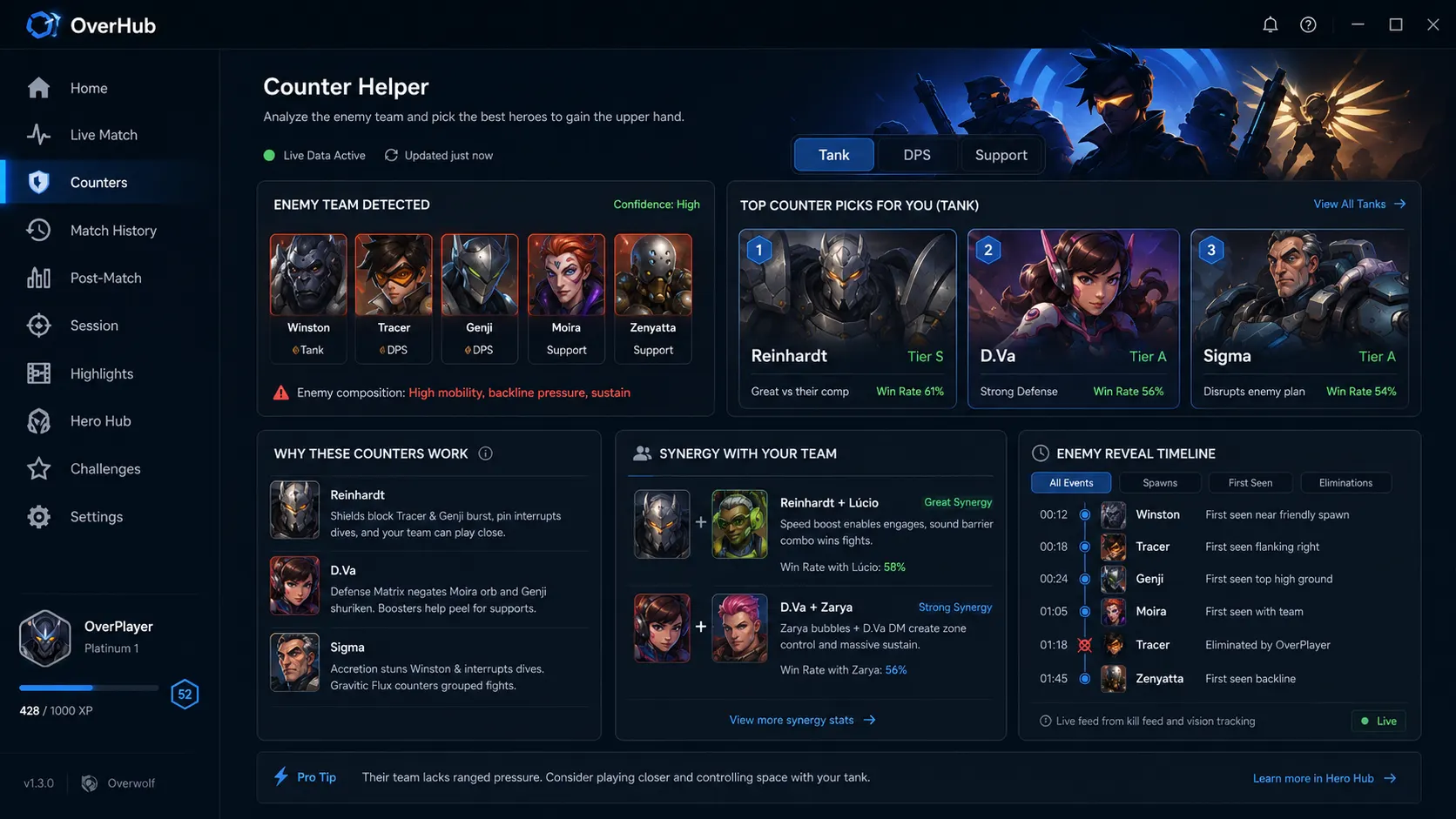
Why Alt-Tabbing for Counter Picks Costs You the Match
The Old Way: Web Browsers & Static Charts
- • Minimizing the game mid-spawn takes 10-15 precious seconds.
- • Static website tables do not account for the enemy team's full 5-hero synergy.
- • You miss enemy ultimate voice lines and staggered spawn timings.
- • High risk of game crashes or driver lag spikes during display mode switches.
The OverHub Way: Native In-Game Overlay
- • Tap Ctrl+X in spawn or between rounds for an instant HUD.
- • Live roster parsing automatically detects enemy swaps the moment they reveal.
- • Recommendations show net positive win-rate delta across all 5 opponents.
- • Zero frame drops with lightweight DirectX drawing pipeline.
Live Meta Matchup Matrix (2026 Season Analysis)
Here is how OverHub calculates high-leverage counters for the most dominant threats in current competitive play:
| Dominant Threat | Primary Counter Pick | Tactical Rationale | OverHub Winrate Advantage |
|---|---|---|---|
| Pharah / Mercy Pocket | Cassidy / Ashe + D.Va | Hitscan pressure forces aerial retreat while Defense Matrix denies barrage & rockets. | +14.2% Net Winrate |
| Sombra (Backline Flank) | Brigitte / Winston | Armor pack burst saves hacked supports; Whip Shot and Tesla cannon deny stealth escapes. | +11.8% Net Winrate |
| Mauga (Brawl Sustain) | Ana + Sigma | Biotic Grenade completely shuts down Cardiac Overdrive lifesteal; Kinetic Grasp absorbs chaingun DPS. | +16.5% Net Winrate |
| Genji (Dive Finisher) | Mei / Moira / Zarya | Un-deflectable beam weapons bypass Genji's primary defensive mechanic entirely. | +12.9% Net Winrate |
3 Steps to Winning Every Counter Matchup
1
Install Free on Overwolf
Download OverHub from the verified Overwolf Appstore. No registration, login, or credit card required.
2
Launch Overwatch 2
OverHub automatically detects when the game client launches and pre-loads the latest hero balance dataset.
3
Press Ctrl+X In-Game
Toggle the counter overlay anytime during spawn, pre-match setup, or between rounds to view optimal counter swaps.