SY DEV LABS
OverHub FeatureReal-Time DPM/HPMUlt Economy TrackingZero Input LagCtrl+X HUD

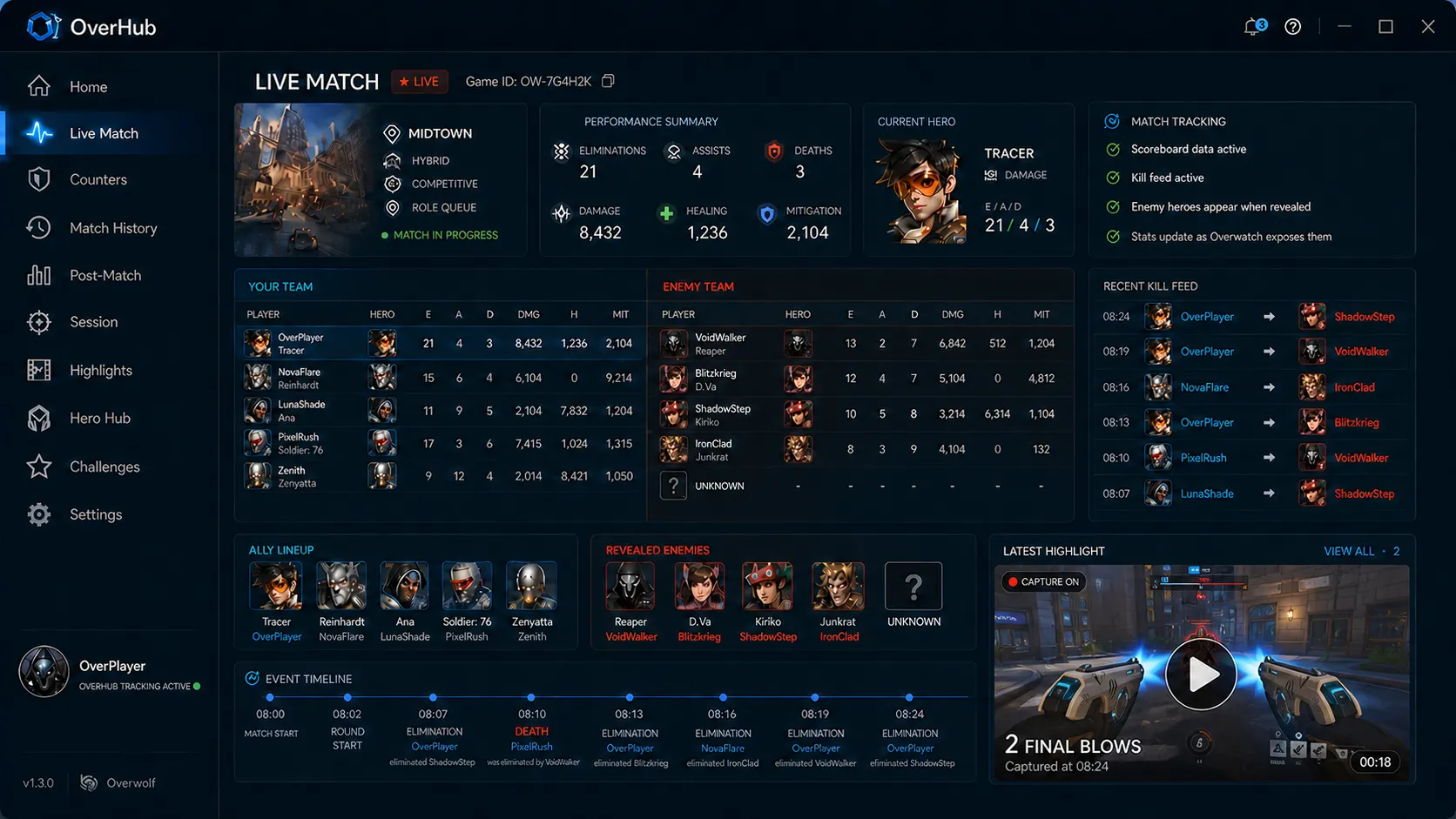
In-Game Overwatch 2 Live Match Tracker

Uncover what the standard scoreboard hides. OverHub provides an unobtrusive, transparent in-game HUD that delivers live teamfight statistics, ultimate tracking, and performance analytics while you play.

Download Live Tracker Free
Windows 10 / 11 Compatible
OverHub Overwatch 2 live match tracker showing real-time damage, healing, and combat stats

Advanced Performance Metrics Standard Scoreboards Can't Show

Metric 01

Live DPM & HPM

Damage and Healing normalized per minute, accounting for match pacing and objective contested times.

Metric 02

Ultimate Economy

Estimated charging percentages for enemy key game-changer abilities based on teamfight damage patterns.

Metric 03

First Elimination Rate

Tracks who initiates opening kills in teamfights—the single highest predictor of round victories.

Metric 04

Combat Stagger Time

Real-time countdown timer tracking enemy respawn waves to optimize grouping calls before pushing.

Engineered for Competitive Clarity

Most overlay tools clutter your crosshair. OverHub was created by high-tier competitive players to ensure absolute peripheral visibility:

Adjustable Opacity

Set HUD transparency from 10% to 100% or toggle to show only when holding your custom hotkey.

Custom Screen Anchors

Pin tracker widgets to the top-right, bottom-left, or snap to secondary displays seamlessly.

Auto-Hide in Combat

Optionally fade widgets completely when taking active damage so your focus stays locked on crosshair tracking.

Frequently Asked Questions

Everything You Need to Know

How is OverHub's live tracker different from Blizzard's default Tab scoreboard?

Blizzard's default scoreboard only displays raw totals (total damage, eliminations, deaths). OverHub calculates contextual rates (Damage/10 min, Healing/10 min, First Blood percentage, and Ultimate Efficiency) updated live after every teamfight.

Does tracking stats mid-match cause input lag or reduce frame rates?

No. OverHub uses Overwolf's dedicated DirectX rendering pipeline which operates with zero impact on GPU frame times. CPU utilization remains under 1%, ensuring no stuttering during chaotic teamfights.

Does the match tracker work in Competitive, Quick Play, and Arcade modes?

Yes. OverHub supports all standard 5v5 game modes including Competitive Role Queue, Open Queue, and Quick Play matches.

Connected Intelligence

Related Guides & Tools

All Guides →
Ready to Upgrade Your Gameplay?

Experience the Official In-Game Overlay

Join thousands of PC gamers using SY DEV LABS tools on Overwolf. Free, lightweight, and engineered for high-performance gaming.